
Excel Table Trick # 18. Automatic extension of table as data grows
In tables if you are entering data and reach the end of table then just hit tab key and active cell will move to the first cell of next row extending the table formatting automatically and you don’t have to do any of the styling or writing formula as table will manage this for you on its own.

Excel Table Trick # 19. Help you create dynamic named ranges easily
We have discussed this great ability of table in Pivot table but exactly under its name. Actually table is a dynamic data structure that grows and shrinks with the data. This way you can easily apply functions without worrying about the data falling out of range and getting #REF! errors. Remember to harness this power we have to use structured references as structured reference is independent of cell references in a way that it is dynamic.
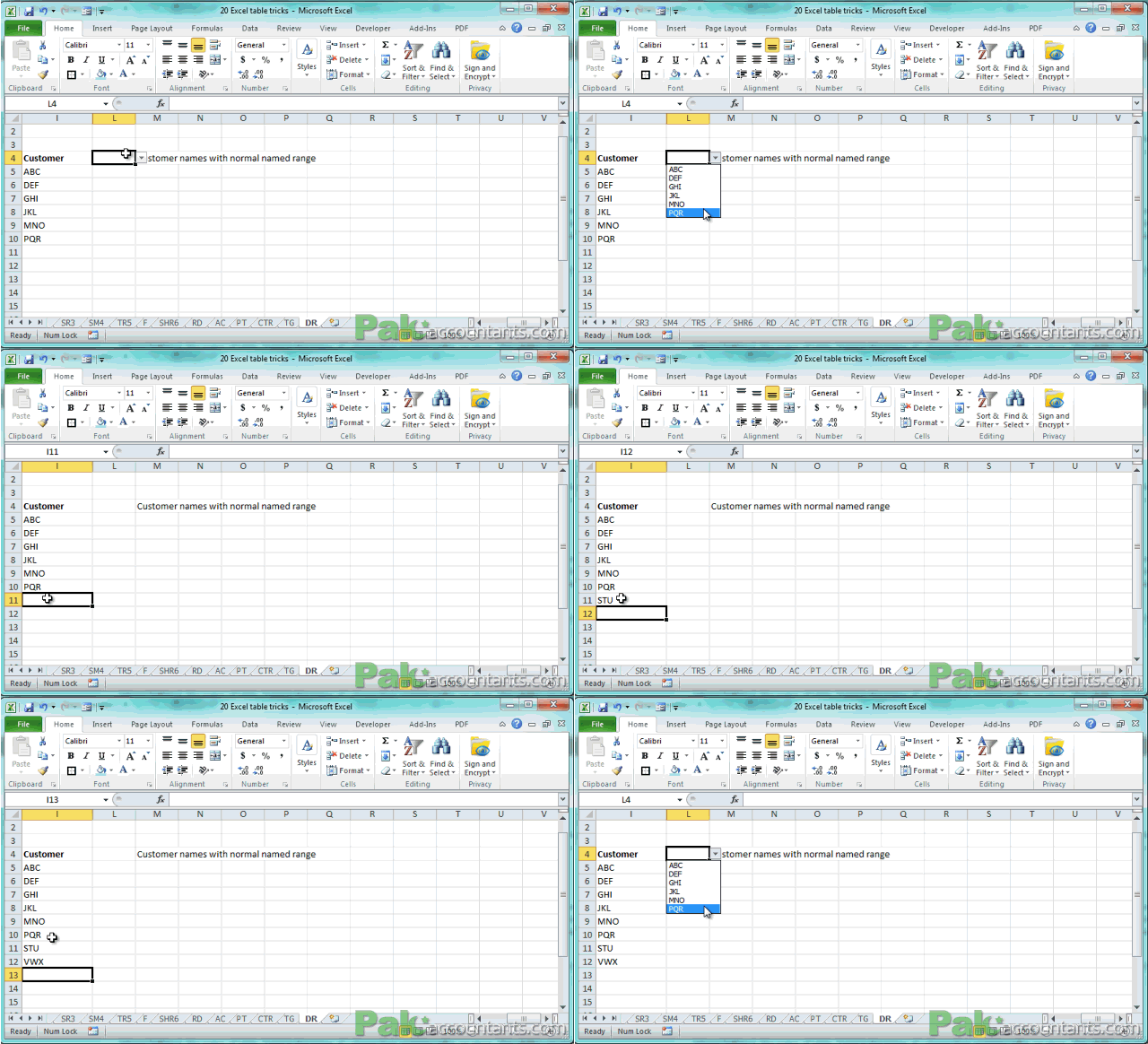
For example if you create data validation lists from named ranges then they are more of static in nature and if later your data grows then list won’t update with it. Following animation explains it:
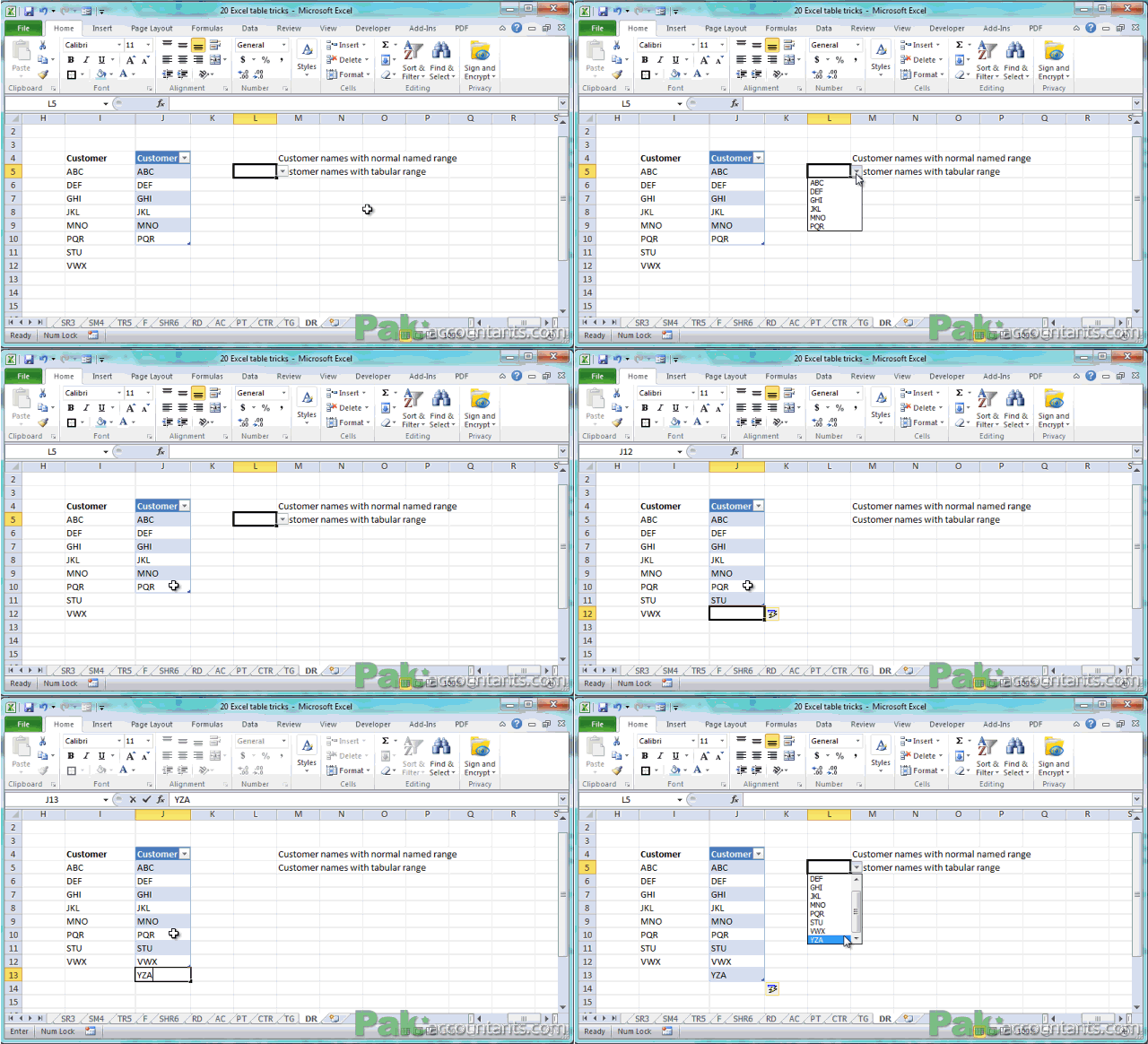
But if the same is done using tables then you get dynamic named ranges and your data validation list gets updated if your data grows. Following animation makes it even clear:
To learn how to make data validation lists from tables check out our data validation tips and tutorials
very resourceful material to learn excel in out
@Mike thanks 🙂 help spread the word so that others in need can also get it