
Excel Table Trick # 4. Calculated columns
Insert a formula in a single cell within a column and table will automatically insert that formula for you in the rest of the column instantly saving you the hassle of dragging and copy/paste. This not only reduce inefficiencies and errors but also help keeping the consistency within in data. You have seen it in action in trick 3 when you press enter and the whole column gets the profit margin calculated automatically.
Don’t want calculated columns to be done automatically? Use smart tag to revert it or turn it off altogether from excel’s options.
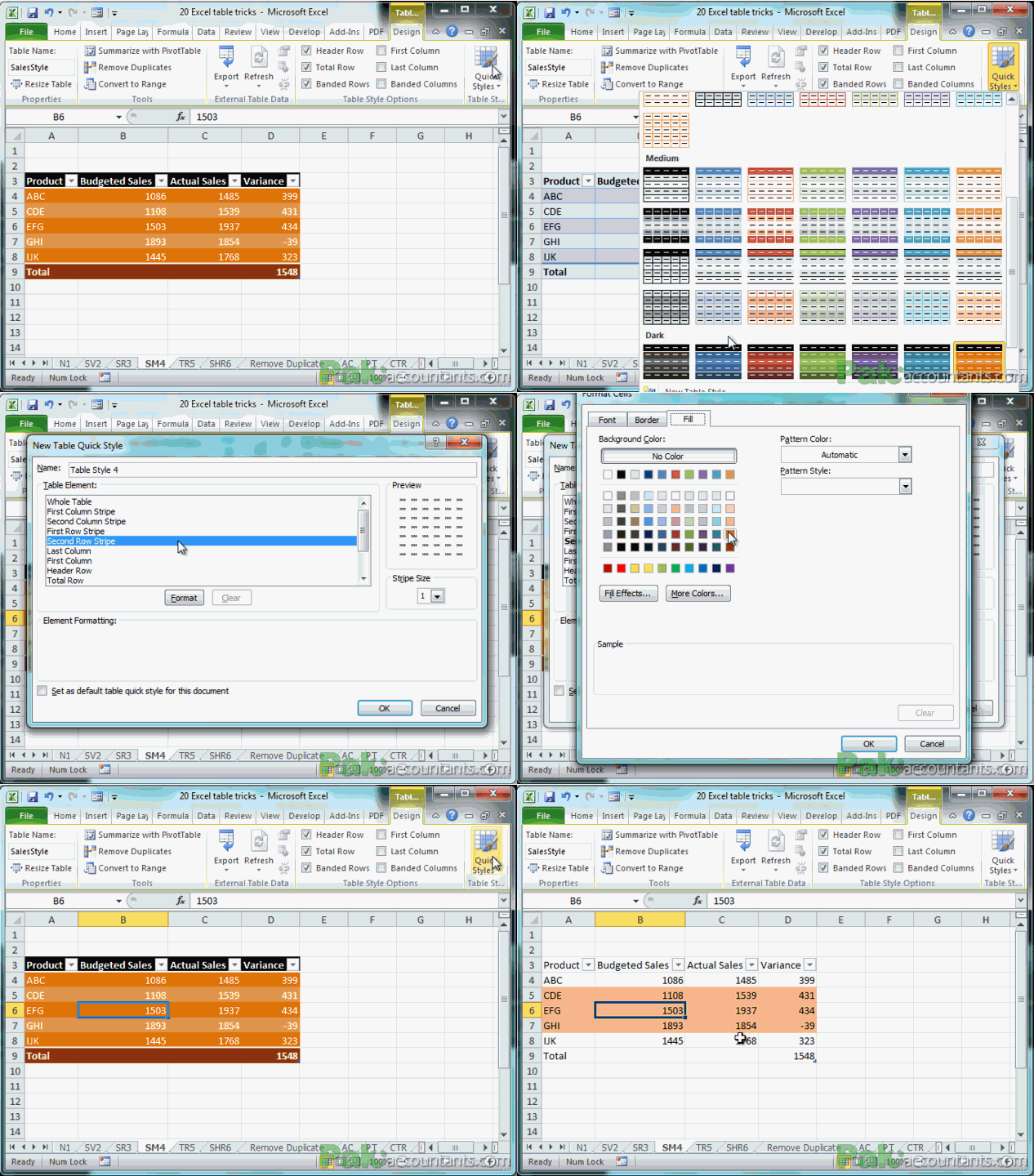
Excel Table Trick # 5. Endless table styles
Everyone likes good numbers. But good numbers in good style is an extra topping not to miss. From quick style library you can select some built in styles quickly or make your own even to suit your needs.
Excel Table Trick # 6. Get filter and sort by default
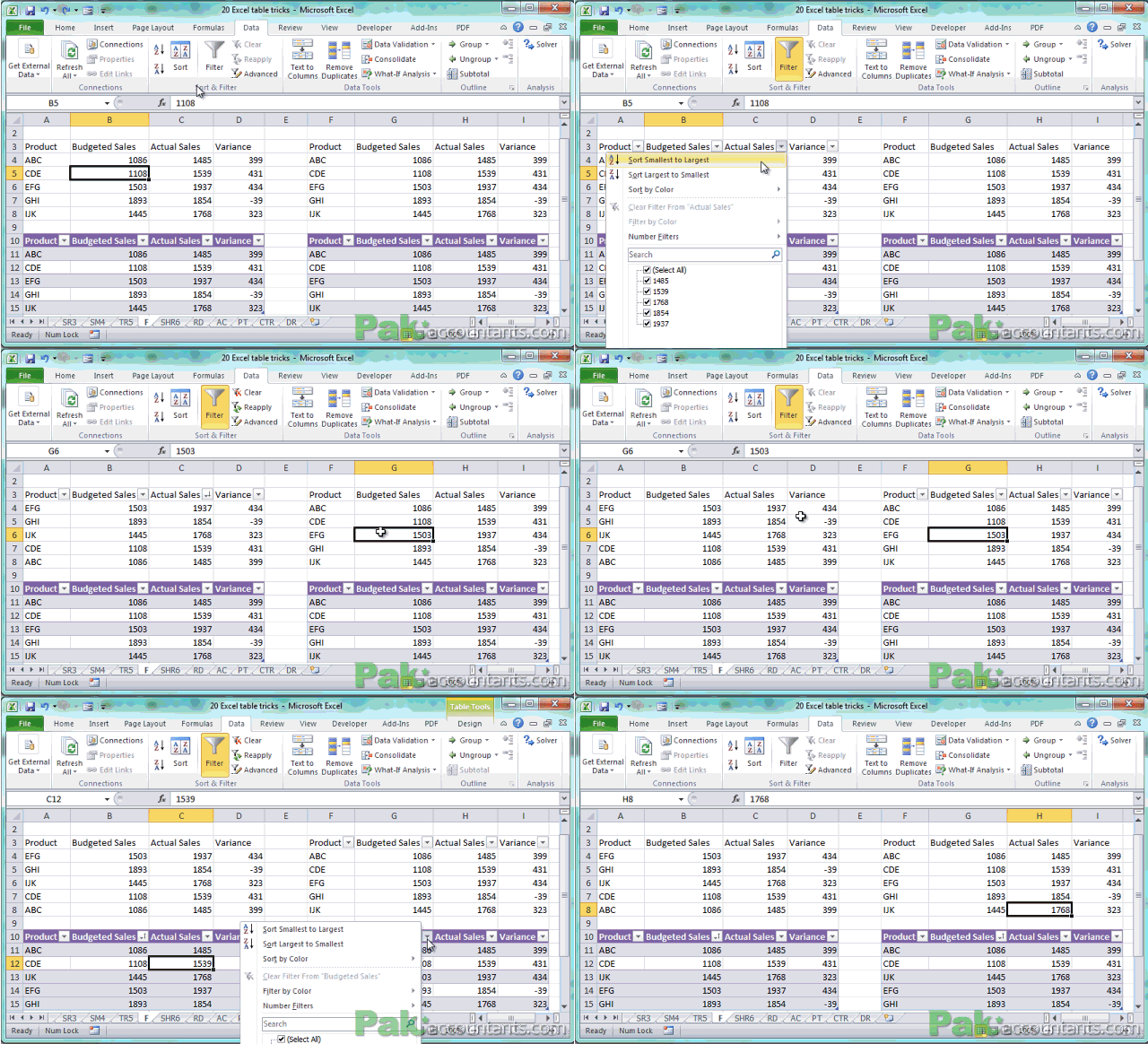
Every table gets the filter and sort option turned on by default and let you filter the result on the fly easily. And one fascinating thing is that each table gets its own sort and filter option and filters can be applied on multiple tables even if they are on the same worksheet. Normally only one data range can be filtered at a time in the worksheet.

very resourceful material to learn excel in out
@Mike thanks 🙂 help spread the word so that others in need can also get it