
Excel Table Trick # 15. Print table separately
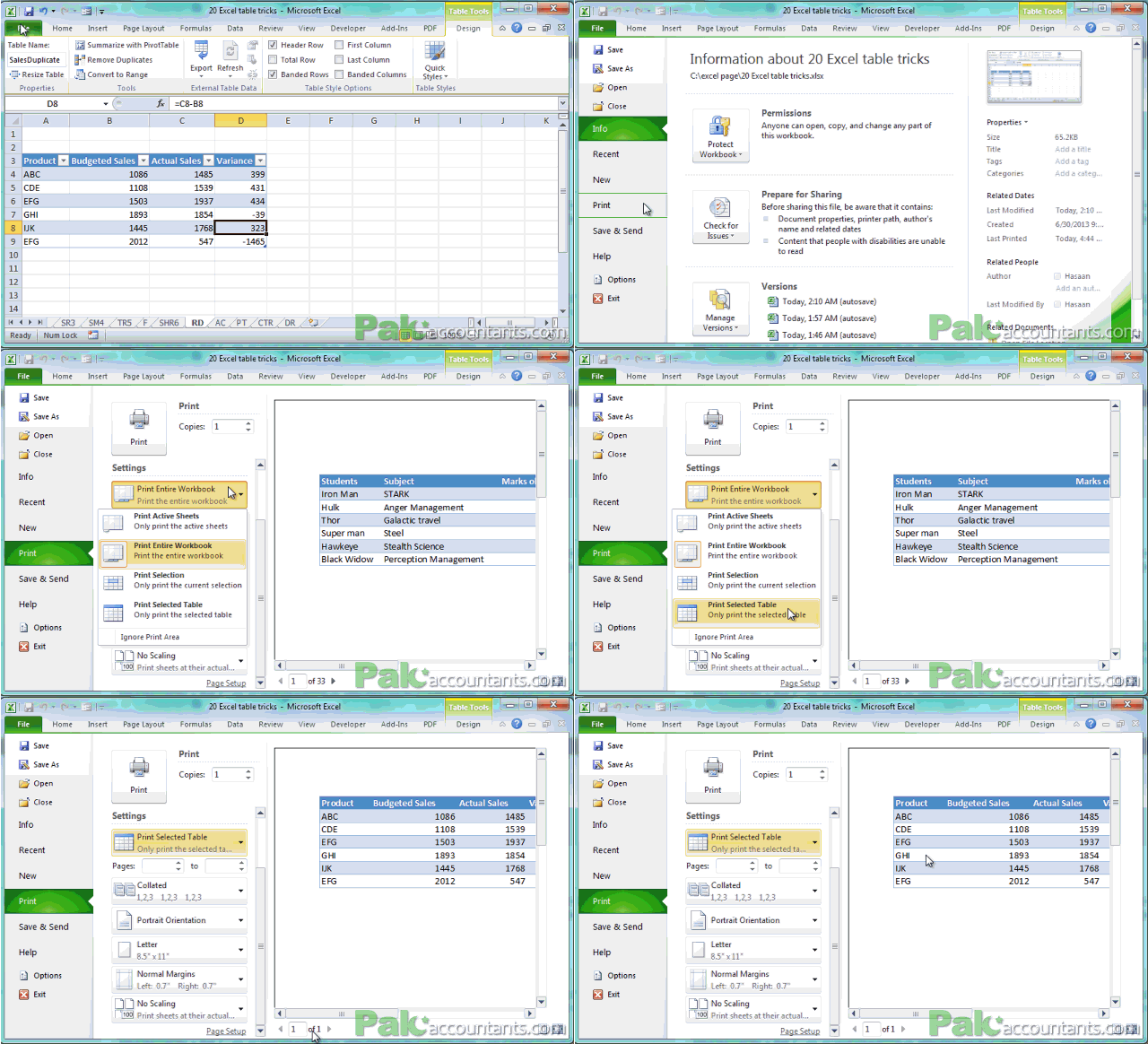
Want just the table? Well you might already know how to print selected data using print area option. But table saves you that time as right in the backstage view when you go for print you can choose to print the selected table and only that will be printed for you skipping other parts of worksheet/workbook.
Excel Table Trick # 16. Export table data
With a sharpoint server in place you can directly connect the table’s data easily. And once connected you can modify table to have its effect being rendered on run time basis on the other side saving you the trouble of exporting data every time. Do it once and forget it!
Excel Table Trick # 17. Special formatting for first and last column if you want
Have a specific data in first and last column of table and want to format it differently. Check and done! Turn to contextual tab>Table style options tab>Check First and last column to have them formatted differently like change font size, color, weight, cell color, border etc.

very resourceful material to learn excel in out
@Mike thanks 🙂 help spread the word so that others in need can also get it