
22. Scroll wheel to scroll through ribbon
Normally one has to click on each tab to access the groups under each of them. However, if you hover cursor on ribbon and use scroll wheel on mouse (if yours have one) then you can scroll through tabs like a breeze.
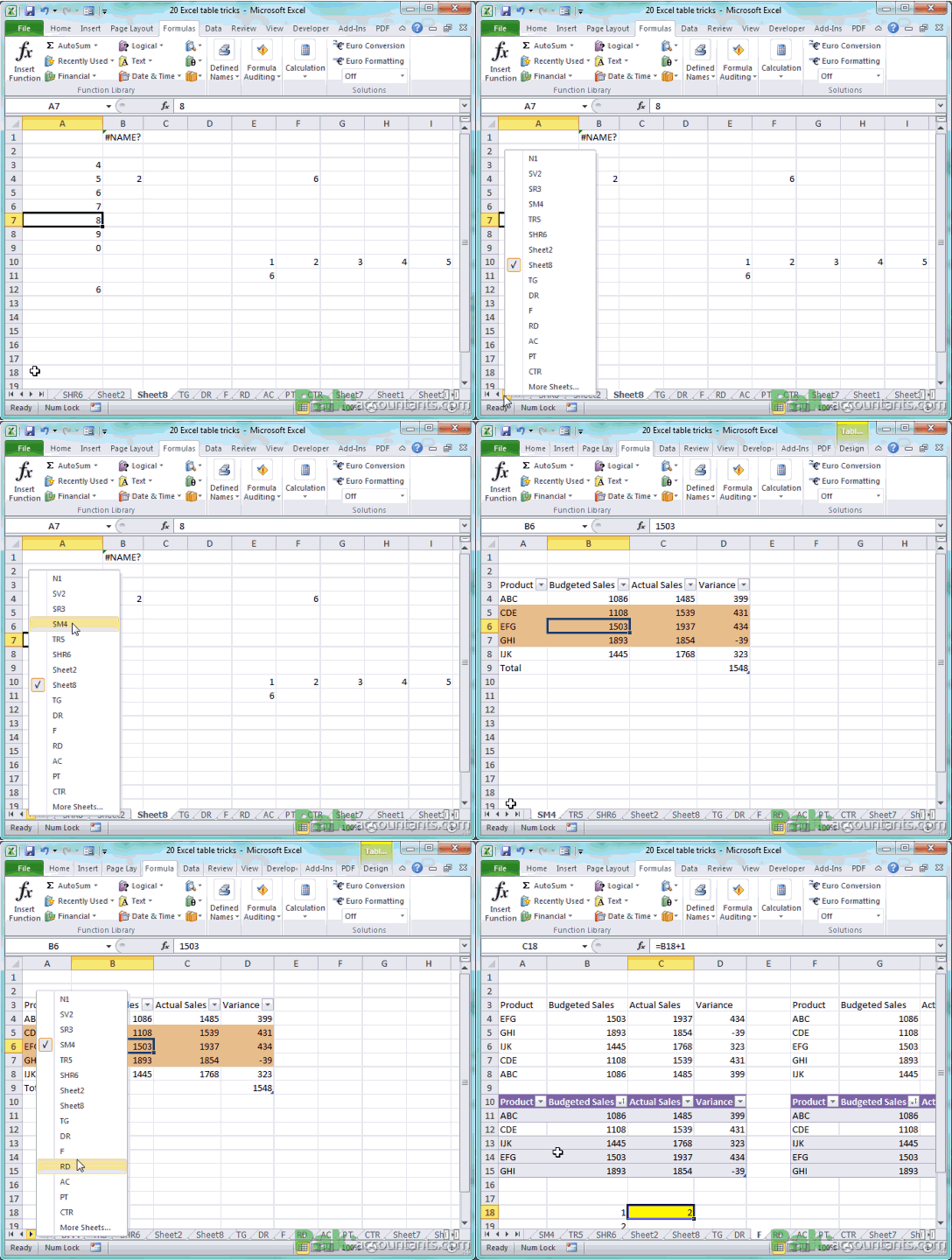
23. Right click worksheet navigation buttons to get a menu and select worksheets
This is one of my personal favourite. At times one workbook contains many worksheets and you have click navigation buttons several time to go to specific worksheet. Believe me this is tiring.
The best way is to right click on the navigation buttons and you will have a menu from which you can select the worksheet to jump to. I like jumping!
24. Select multiple worksheets by holding Shift or Ctrl key
If you have to move or copy certain worksheet to another workbook then you can move or copy multiple worksheet in one go.
If you press and hold Shift key then you will select all the worksheets between two points of selection.

If you press and hold Ctrl key then only those worksheets will be selected that are clicked.

25. Quick paste only values of whole column
If you have formula in the column to calculate certain value and later you just want values the normal course is to copy the column and use paste special to paste values in place. However, if you select the column in which you want to replace formulas with values only then right click selection border, move the selection a bit in any direction and back in its place, release right click and from the context menu select “copy here as values only”. Keyboard knuckleheads move over! 😀

26. Hold down shift key and click to select multiple rows and columns
One can make selection by single left mouse click hold and drag. However, there is a quick way to do this. Have one cell active press and hold Shift key and click another cell and immediately all the enclosed rows and columns will be selected.

27. Hold down Ctrl key to select specific cells or rows/columns
If you click and hold Ctrl key instead of shift key then it will help you make non-contiguous selection i.e. only those cells or rows / columns will be selected that you actually press on or select.

Asslam O Alakum
Masha Allah Its very good effort to support students and professionals.