
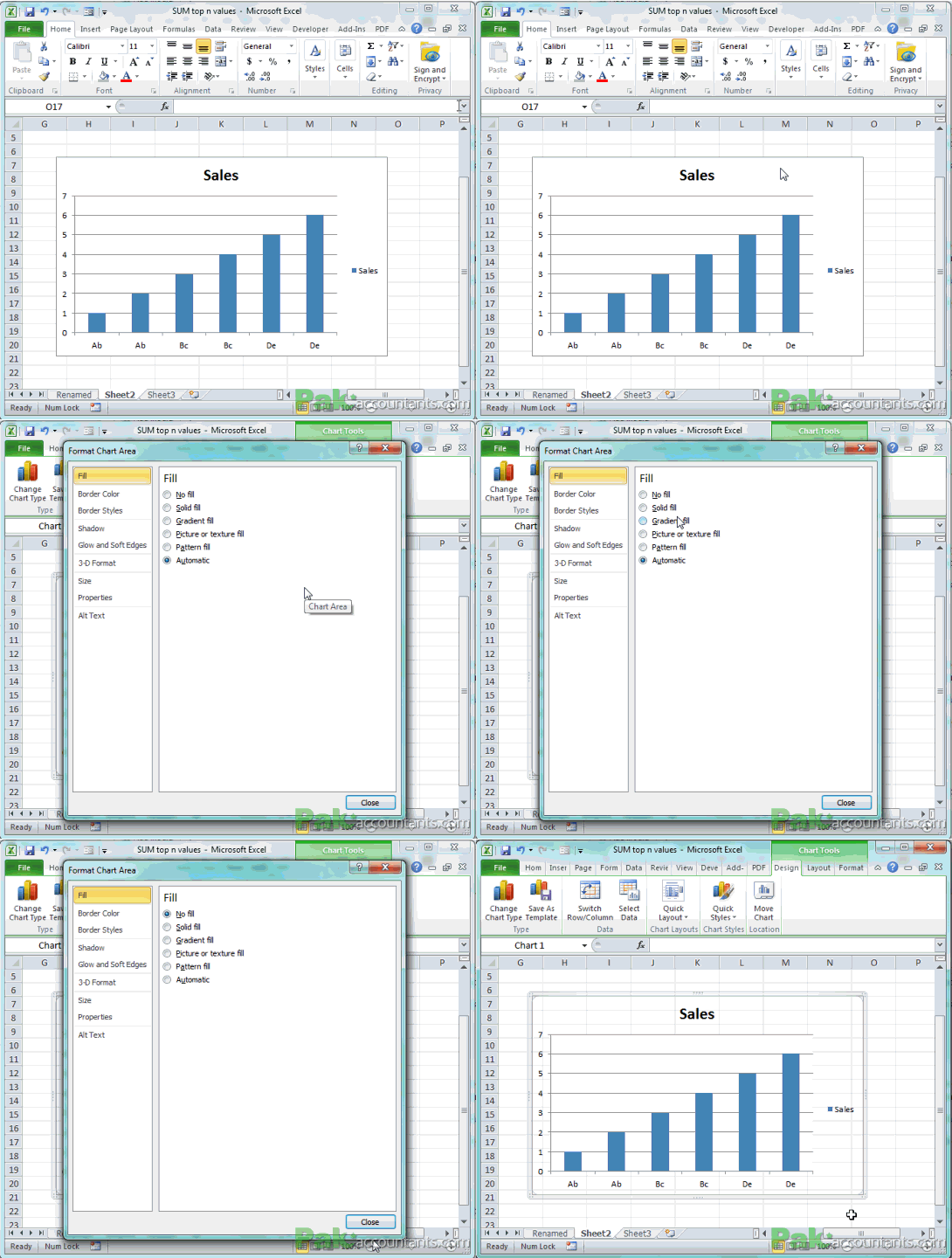
17. Double click chart to bring up properties dialogue
Although you find many of the formatting options in the contextual tab however, if you double click anywhere on chart area (not on chart items/elements) or on chart border then format options dialogue box will pop up.
Same way if you double click any element of chart then formatting options for that specific element will open and you can make adjustments as you wish.

18. Double click embedded object to display respective program’s bar
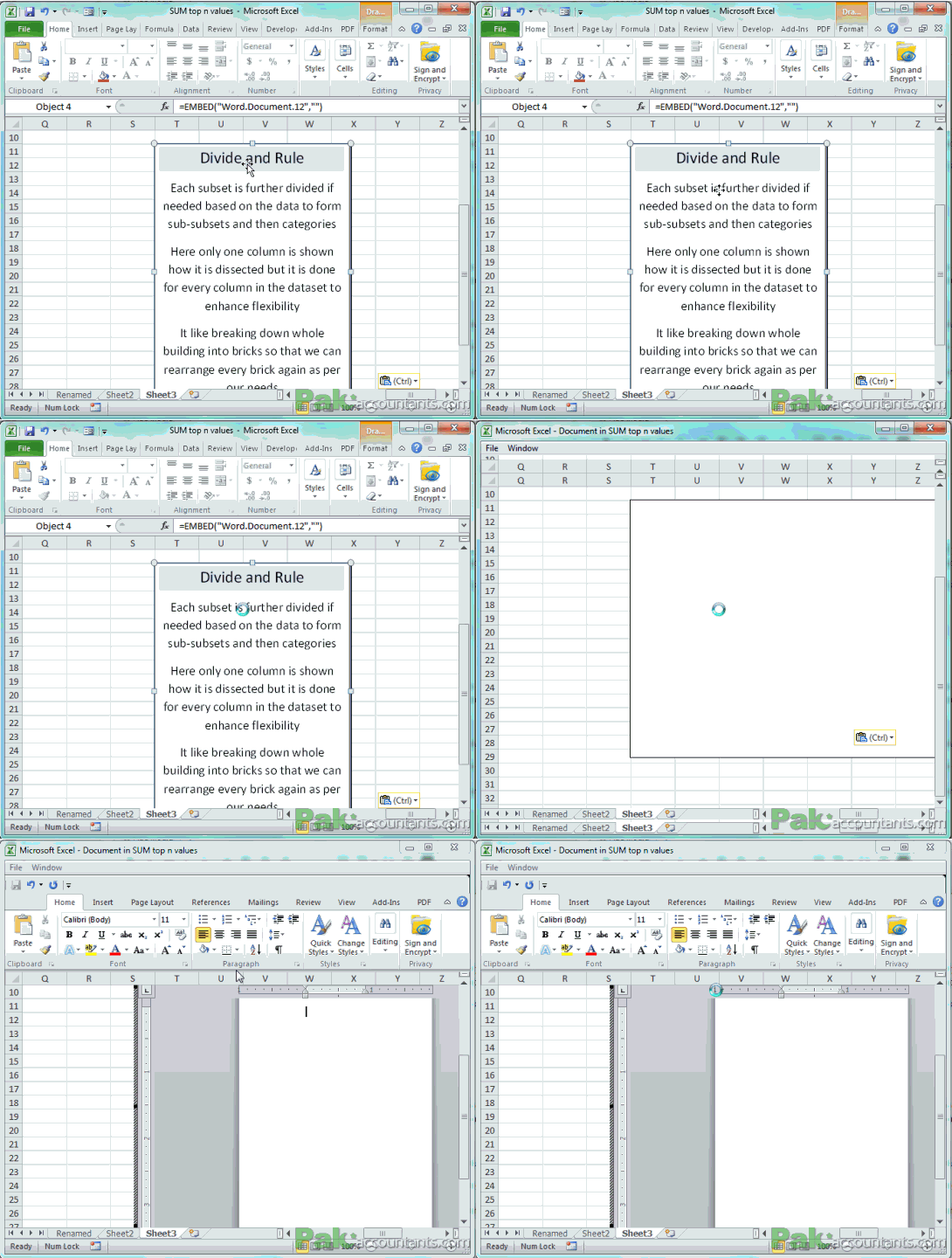
If you have embedded object from other office applications like word. Then double clicking the object will put you in hybrid environment where you will be provided with the ribbon of that specific application from where the object is embedded.
Check the excel icon at top left. The Microsoft Word bar appears inside Excel to let it edit on the go. Once done click outside embedded object and you are back in Excel.
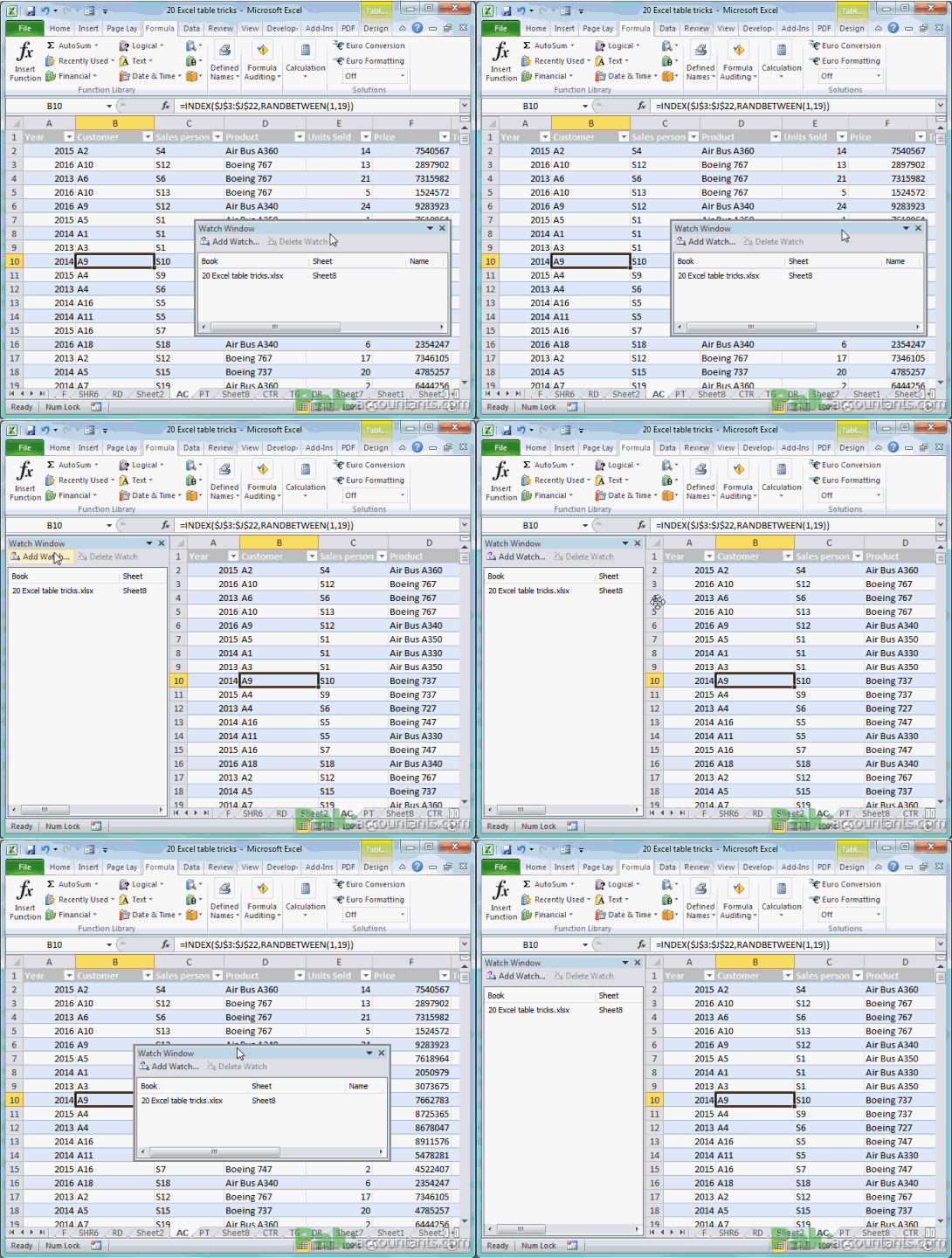
19. Double click top bar of any task pane and it will rest either left or right of the worksheet
If any task pane that is floating inside workspace, double clicking the top bar will dock the pane either at the left side of worksheet or right and saves you drag and drop arrangement of windows.
20. Insert multiple shapes easily
Press and hold Ctrl and click shape under the Insert tab>Illustrations>Shapes and it will be inserted on the worksheet and you don’t have to draw that by clicking and dragging inside work space. It works with all the shapes including text box.
But before you are able to use Ctrl key you have to draw first shape and then from the shapes options in the ribbon you can insert multiple shapes while holding Ctrl key and left click on shapes.

21. Lock drawing mode
Right click on shape and select lock drawing mode and now you can draw the same shape multiple times without coming back to insert tab. Great time saver.

Asslam O Alakum
Masha Allah Its very good effort to support students and professionals.