2. Double click row / column margin to adjust height and width
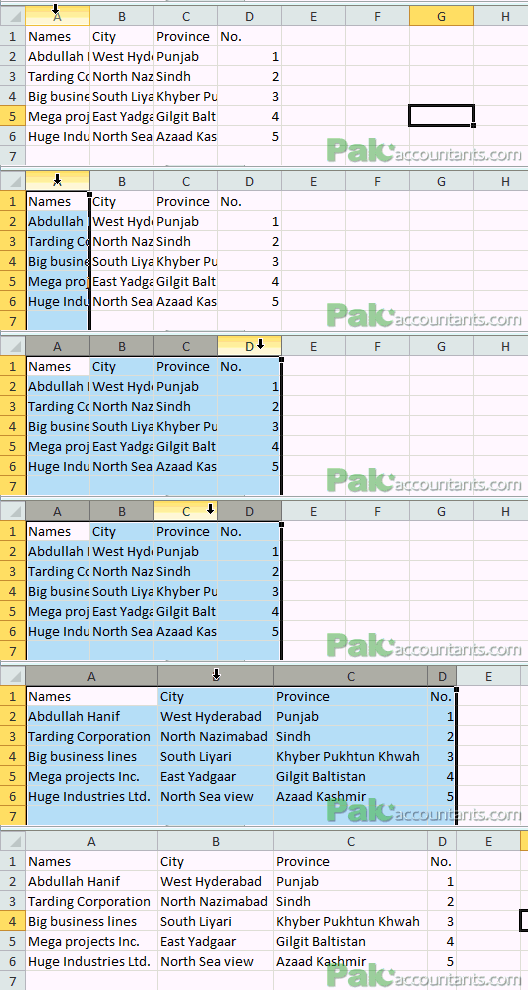
Have a long text in cell not appearing properly? Like there is width is too narrow or too big? You can adjust that easily double clicking the column or row splitter or margin. If you want to adjust a column you have to double click the border at its right not the left one. Similarly if you want to adjust the height of specific row you have to double click the bottom splitter and it will expand or contract to appropriately accommodate the content inside it.

You can adjust the width or height of multiple columns and rows in one go using the same technique. Simply select the rows or columns you want to adjust and double click splitter of any row/column inside that selection and all the columns/rows will be adjusted instantly.
3. Double click format painter
Format painter let you copy the format of specific cell in other cells easily. But if you have several cells to format using this tool then you might be thinking that you have to click format cell button every time. No!
Save yourself time and effort by double clicking the format painter button once and then click on cells you want to paint. Once done hit escape key or click format painter button again in the ribbon to disengage format painter.
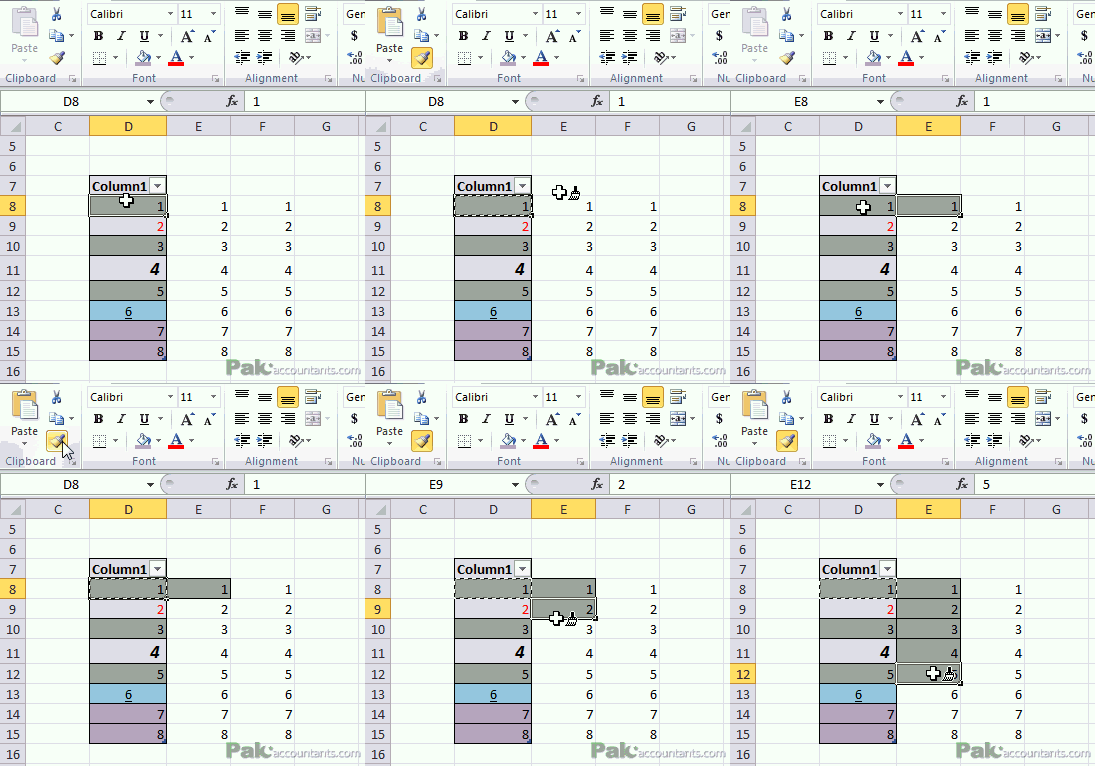
Bonus tip - Multiple rows and columns with multiple formats
Format painter is not a simple format paster. It has a good memory of remembering formats of multiple rows and columns that might come with multiple formats and saves you tons of time not repeating those steps again for each cell.

4. Double click formula bar to expand quickly
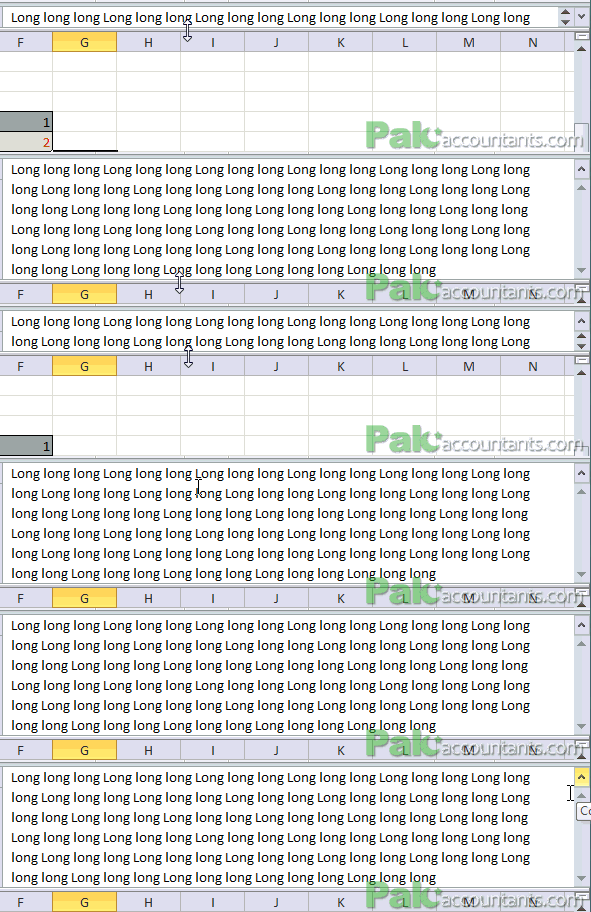
If you have a long text or a formula in a cell then sometimes even a formula bar cannot accommodate the whole thing. However, if you click the formula bar expandor button then formula bar will expand just enough to show the whole thing. You can do this by double clicking the bottom border of formula bar and it will expand.
5. Double click and hold to select cell content
While in edit mode if you have to select a sentence or argument with in range we usual press and Hold Shift key and drag the mouse with left mouse button pressed down. However, if you double click and hold left mouse button and drag to make the selection. This will free up your hand and you don’t have to keep holding Shift key pressed.