15+ Uses of Excel Name Box - The ‘nothing’ box that has a ‘name’ is nothing like what you believe
Not many know the capabilities of Excel’s name box. Yeah I know many might not even know which box I am referring to. It is the same box at the left above worksheet area below ribbon that usually has the reference to active cell and in my early days I too thought that it is […]

Excel ALTernate ‘Powercut’ - One key to rule ALL shortcut keys
Ranking up in Excel world is not easy but definitely there are steps you can take to become an Excel head and one of such steps is to remember shortcuts. Well you have no idea how much Excel nerds who know shortcuts are appreciated in this part of the world. But if you look at […]
Using Excel Custom Number Formatting as Data Validation Tool
Excel custom number formatting feature is immensely powerful. From hiding things to formatting telephone numbers correctly, to changing colours to use them to insert symbols in data or chart, it is definitely of great use. Today we are looking at this tool for yet another purpose which is kind of odd but still works! Suppose […]
Create Excel Charts with Bands or Threshold in the background - [How To]
Just the other day I was teaching my ACCA F5 students about variance analysis and there we learnt that not every variance needs to be investigated and only those should be probed that breach a certain threshold which was explained with a chart. That’s where I had a light bulb moment to have it done […]
Creating Excel charts with Subcategory axis - [Quick Tip]
This is definitely a neat trick. Usually we have single X-axis chart element. But you can have multi-category axis to show the information in a much more arranged manner. Following is what we are after. You can observe that it has three categories, one main and two subcategories stacked up on each other in a bar […]
Custom Data Labels with Colors and Symbols in Excel Charts - [How To]
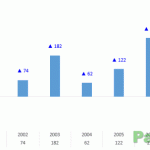
Is it possible to have colored data labels like red for negatives and blue or green for positive values inside excel chart? This question was asked by some when I posted Variance Analysis in Excel – Making better Budget Vs Actual charts as this shows the use of custom data labels that includes upward and downward arrows with positive and […]
Increase the font size of Excel Formula Bar [Quick Tip]
I doubt if its really going to help masses but still worth a share as I don’t really know the way to increase the font size in Excel bar if really there is any other than this. Here is what we are after! Take a close look at formula bar which is freakishly big! Go […]
Creating Scrollable Charts in Excel [How To]
Last time we discussed on how to have a subset of data within worksheet that scrolls independently and I called it scrollable data ranges. It was fun as we involved one of the Excel form control i.e. scroll bars. Today we are taking that a little further and will learn how to create scrollable charts […]
August Augment - Top 10 Excel Articles in August 2014 on PakAccountants.com
Hey everyone! Hope you people are doing Excellent just like the excel tutorials, tips and articles are doing here on PakAccountants.com. Last month has been probably the busiest for me in terms of Excel since I started and I really regret that why I didn’t start earlier. After all the love and energy you people […]
Creating Scrollable data ranges in Excel - Excel Form Controls: Scroll Bars
If Excel ever had a tongue it surely would have told us that eating thousands of rows is as delicious for it as dunking oreos in milk for humans! But we humans have another issue and that is we easily get tired of scrolling down especially if the list is so long as if it is […]