Excel Chart with highest value in different colour - Multi Color Bar Charts [How To]
Reports and charts goes together and the biggest reason to have charts in reports is to add visual treat that makes it super easy for everyone to decide instantly. To toss it even further we add, subtract, blend and mix colours to make it even more easier. Today we have the similar kind of assignment […]

How to Highlight Blank Cells in Excel using Conditional Formatting [Quick Tip]
With huge data pinpointing blank cells is near to impossible. Sometimes back we learnt how to fill blank cells with zero using Go-To special feature in Excel. But what if we only want to highlight the cell? This can easily be done in the blink of an eye using Excel’s conditional formatting. Step 1: Select […]
Creating Timelines in Excel [How To]
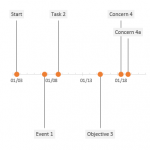
Just recently I upgraded the office suit to 2013. And the first thing I did is to see how Excel looks. Its even better. Sublime, simple, to the point and just like the way bean counters like it. Great job developers. The obvious next stop was to see the templates and the first template that […]
Highlight Excel errors in the worksheet using Conditional Formatting [Quick Tip]
In my last Excel article I discussed different types of errors we can run into while working in Excel with reasons and solutions to correct them. I strongly recommend reading Understanding, Detecting and Correcting Excel errors - #DIV/0!, #N/A, #NAME?, #NULL!, #NUM!, #REF!, #VALUE! In real world situations where we have thousands of records to handle […]

Understanding, Detecting and Correcting Excel errors - #DIV/0!, #N/A, #NAME?, #NULL!, #NUM!, #REF!, #VALUE!
One way to gauge how successful you are is to know how much you have learnt from your mistakes. But learning cannot happen unless you not only identify the mistake but also admit it as only then you can find a way to fix it. And this second part is often the difficult one i.e. finding […]
Variance Analysis in Excel - Making better Budget Vs Actual charts
Weather it is about daily life or business, we almost all the time in our minds comparing the actual results with our plans. Though we can talk numbers and percentages but the way charts tell the stories is unbeatable. However, variance charts are often tricky as you have three things to report: planned figures actual […]
Making Interactive Charts in Excel [How To]
Graphs and charts are amazing tools to understand the information in the blink of an eye. It not only saves you from reading at all levels. That is why charts and Excel is one combination not to miss when you are learning Microsoft Excel application. But sometimes even the charts are so laborious that you wish […]

Understanding Excel CHOOSE() function [Intro]
“Your life is what you choose it to be” In essence whatever we give to life it returns the same. If we give peanuts, it will return peanuts. If it is 1 life will return 1, if it is 2 life will return 2. So life is a perfect response to our intentions and actions. […]
Splitting/Extracting Username and Domain name in Email address using Excel [LEFT and FIND function explained]
A classical scenario to understand the excellence of Excel. There might be situations where we would like to split the email address in two parts i.e. the username (part at the left of @ symbol) and the domain name (part at the right of @ symbol). For example [email protected] has the username hasaanfazalpk and gmail.com is the domain name. So consider […]
Making Birthday and Age Calculator in Excel [How To + Dedication + Prayers]
Last year the same day we learnt how to make a birth date heat map in Excel. So lets another Excel trick exactly one year after. Lets say the date of birth is August 6, 1986. And here are few things you want to find out only by punching your birth date: How many days until […]