Making Print Area dynamic in Excel feat. OFFSET function - How To
Print area is simply the area which will be printed if you give a command either using Ctrl+P or going to File menu and Print. Excel gives you the flexibility to set the print area. We have discussed this feature of Excel way back in time in this article: Excel Tutorial – Ctrl P is Power […]
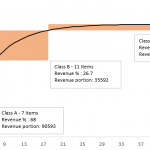
ABC Inventory Analysis using Excel Charts
Earlier this month we learnt how to carry out ABC inventory analysis in Excel using conditional formatting technique. It was easy and we had loads of fun as we not only understood how to apply conditional formatting we learnt bunch of other things too like AND() function and how to manage different conditions to get […]
Formatting Dates in Excel the better way using Custom Number Formatting - How To
Time is of prime importance and having dates in your data is most of the time essential bit of whole. However, making the dates look the way we want is often cumbersome in spreadsheets as sometimes it changes, flips on its own or it doesn’t work the way want it to. This definitely frustrates many […]
ABC Analysis using Conditional Formatting in Excel
ABC analysis is an inventory management technique in which stock is classified in usually three categories on the basis of their importance. Such classification help management to concentrate their efforts on such products that are more important in terms of revenue they are generating, cost or any other measure entity is using to judge importance. […]
Create Data Validation lists from Unsorted data with duplicates in Excel [How To]
Today I finally decided to make an Excel dashboard on debtors aging analysis. The main reasons to do this dashboard were that: I thought now enough knowledge has been delivered to my cult followers that they will understand the ins and outs of making this dashboard; and that majority of computational work was already done in the […]
How to do 2 Way Lookup in Excel - One value to lookup with two criteria using Intersect Operator
I can safely assume that almost everyone knows about LOOKUP formulas or precisely VLOOKUP. That is probably because sights and sounds of Excel don’t go without shouts and screams of lookup formulas. Learning Excel and not learning lookup formulas is like learning Japanese and not learning how to use chop sticks! So if you are […]
Excel Linked Objects - Making Excel Reports that Spread the Word
Excel is good at so many things and we love it. However, when it comes to reports and presentations we rely on other applications in the office suite like Microsoft Word and Powerpoint. There is no real problem in pasting the data tables and charts in word documents or powerpoint slides until the data in Excel changes […]
Using Excel Custom Number Formatting as Data Validation Tool
Excel custom number formatting feature is immensely powerful. From hiding things to formatting telephone numbers correctly, to changing colours to use them to insert symbols in data or chart, it is definitely of great use. Today we are looking at this tool for yet another purpose which is kind of odd but still works! Suppose […]
Creating Scrollable data ranges in Excel - Excel Form Controls: Scroll Bars
If Excel ever had a tongue it surely would have told us that eating thousands of rows is as delicious for it as dunking oreos in milk for humans! But we humans have another issue and that is we easily get tired of scrolling down especially if the list is so long as if it is […]

Creating Timelines in Excel [How To]
Just recently I upgraded the office suit to 2013. And the first thing I did is to see how Excel looks. Its even better. Sublime, simple, to the point and just like the way bean counters like it. Great job developers. The obvious next stop was to see the templates and the first template that […]